A lightweight, Docker-Desktop-style web GUI for a server you don't sit in front of.
Every container grouped by its Compose project, whole stacks up or down in one move,
live logs, one-click image updates. It talks to Docker through the socket alone.
Status: Downloaded newer image for a2coder/docklite:latest
$
docklite service started on http://localhost:3000
DockLitePR #42 · web
localhost:3000
DockLite1 project · 2 containers
web2/2 running
caddyRunningcaddy:2.8
apiRunningapi:1.4.1
Services are up
Metrics · api
CPU6.2%
MEM412MiB
Logs · api
[api] listening on :8080
[api] GET /health 200 4ms
Actions · api
StopStartUpdate
Bump api to 1.4.2 #42
feature/api-1.4.2→main
buildpassed
deploywaiting
POST /api/webhook/project/web → {"ok":true}
Merge pull request
This is the whole thing.
There is no database to run, nothing to install on the host, and no control
plane sitting between you and Docker. The whole installation is eleven lines of
YAML and three environment variables, so rather than describe DockLite, here is
its configuration, read one line at a time.
Plus two optional keys: WEBHOOK_API_KEY if you want CI to deploy, and REGISTRY_CONFIG_PATH if your images live behind a login.
One image, and it does the things you actually reach for.
Nothing runs on the host except Docker, which is already there. DockLite
reads and drives the socket, then renders what it finds into a page worth
keeping open.
Compose aware
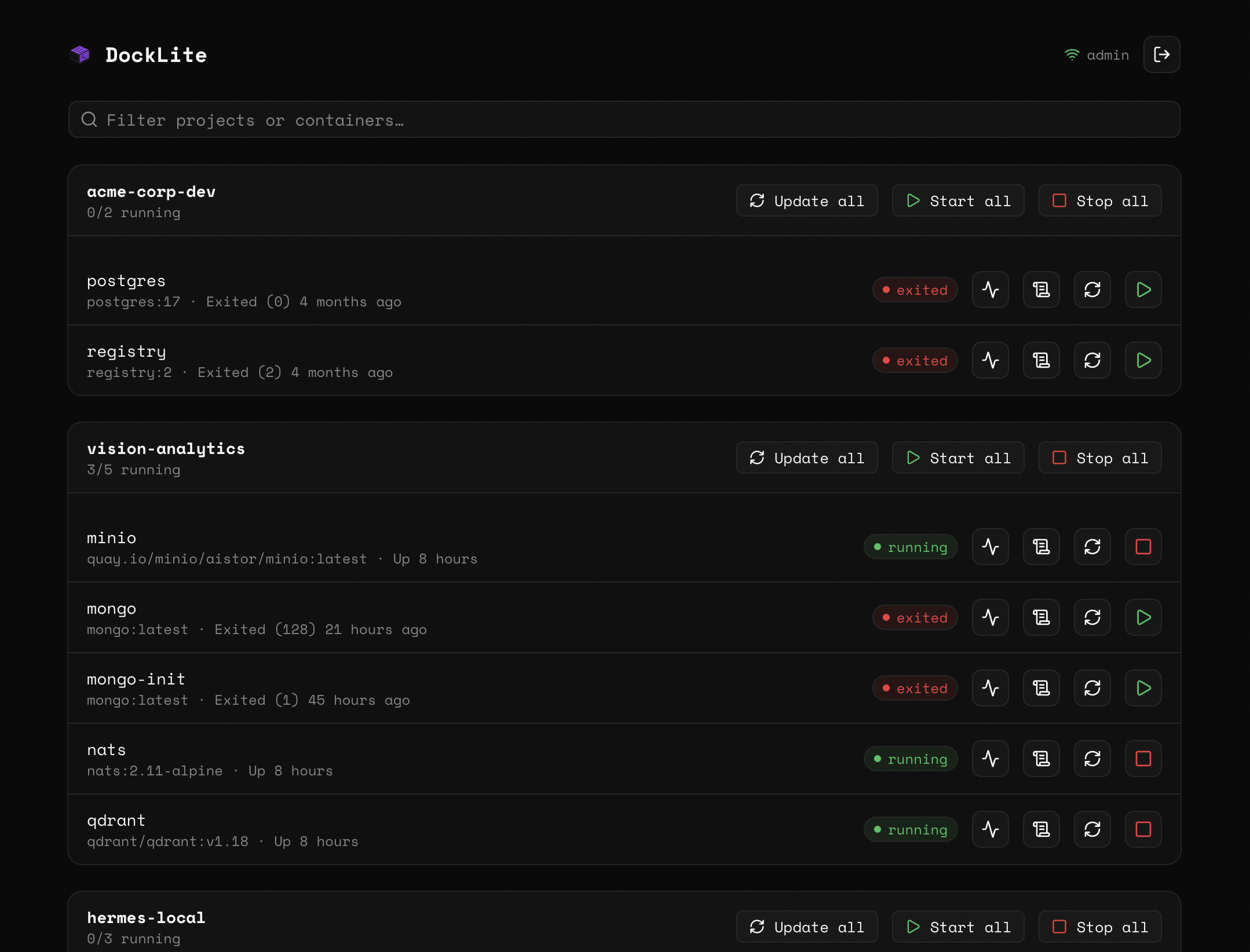
Containers roll up under the project that owns them, with a live running / total count on every group header.
Stack control
Flip a single container, or start and stop an entire Compose project in one move.
Live logs
Open a container and watch its logs stream in real time — no docker logs -f, no second terminal.
One-click update
Re-pulls the image tag and recreates the container with its exact config: name, env, volumes, networks, restart policy.
Per-container metrics
CPU, memory, network and block I/O on a dedicated monitoring page.
Self contained
No external services, no sidecars. One container talking to the Docker socket.
One port, and the whole host is on the page.
Open :3000 and every project on the machine is right there.
Health is readable at a glance, and the one thing that is broken is the
hardest thing on screen to miss.
docklite.local
The actual app. docklite.local is a stand-in for wherever you run it.
Three variables, and you're logged in.
There is no user store, because there is only one admin, configured
entirely through the environment. Nothing to migrate, and nothing to back up.
Mount the socket, set three variables
That's the compose file on the left, in full. No extra services, no volumes for state.
Hash your password
Run the image once with hash-pwd and paste the salt:hash it prints into AUTH_PASSWORD_HASH.
Bring it up
docker compose up, open port 3000. About a minute, start to finish.
One more key, and CI can deploy for you.
Set WEBHOOK_API_KEY to unlock two authenticated POST
endpoints. Your pipeline triggers the exact same recreate-with-new-image the
update button does, either per container or per whole project.
deploy.sh
# update every container in a projectcurl -fsSL -X POST \
-H "Authorization: Bearer $WEBHOOK_API_KEY" \
https://docklite.example.com/api/webhook/project/my-project{ "ok": true, "updated": 3, "project": "my-project" }
Bearer-token authenticated, returning 401 on a bad token
One more file, and every registry has its own login.
Credentials are chosen per pull, from the registry the image came from —
GHCR for one container, a host of your own for the next, Docker Hub for
the rest. You list them once, in a file DockLite re-reads on every pull.
Base64 the token or password, and paste what it prints into password_b64.
Mount the file, and point DockLite at it
Both steps, or neither works: the mount puts the file inside the container,
and REGISTRY_CONFIG_PATH tells DockLite where it landed.
docker-compose.yml
# two more lines under docklite:, in the file on the leftenvironment:
REGISTRY_CONFIG_PATH: /config/registries.ymlvolumes:
- ./registries.yml:/config/registries.yml:ro
How hosts are matched
The host comes off the image reference by Docker's own rule: the text before
the first / is a registry host only if it contains a .
or a :, or is exactly localhost.
Image
Matches host
postgres:16
docker.io
acme/api:v2
docker.io
ghcr.io/acme/api:v2
ghcr.io
registry.internal.acme.com:5000/api
registry.internal.acme.com:5000
localhost:5000/dev/app
localhost:5000
So acme/api is a Docker Hub namespace rather than a
host, and matches the docker.io entry.
docker.io, index.docker.io
and registry-1.docker.io are all the same host, and a
port is part of the host.
Registries you leave out are pulled anonymously, so public images need no entry
Edits land on the next pull — nothing to restart
A file that is present but unreadable or invalid fails the pull with a specific error
DockLite pulls before it stops anything, so a failed pull leaves the running container untouched
Base64 is not encryption
It keeps a token from being read over your shoulder or grepped out of
terminal scrollback, and that is all — anyone who can read the file can
decode it. Keep it chmod 600, mount it :ro, and
keep it out of version control.
Upgrading from a single credential pair
REGISTRY_AUTH_USER and REGISTRY_AUTH_PASSWORD still
work, applying one pair to every registry. Once
REGISTRY_CONFIG_PATH is set they are ignored, and DockLite logs
a warning saying so. To migrate, move the pair into an entry for whichever
host it was for, and unset them.
One socket, and nothing else.
That single mount is DockLite's entire reach into your machine. It is also
the reason to be careful about where you put it, so here is the honest version.
Read this one
Not for the open internet
There is no login rate-limiting or lockout, by design. Keep DockLite behind
your own access controls: a private network, a VPN, or a reverse proxy.
Never expose it directly to the public internet.
Hardened session cookies
The session cookie is httpOnly and SameSite=Lax,
and becomes Secure automatically when NODE_ENV=production.
Auth re-checked everywhere
Every server action and API route validates the session independently.
The proxy gate is a convenience, never the only check.
One line, and it stays up.
unless-stopped is the last line of the file, and the last decision
you have to make. Pull the image, mount the socket, and open the page.

 DockLite